WebP vs. JPEG vs. PNG: Which Format Should You Choose?
Choosing the wrong image format can inadvertently double your bandwidth consumption or ruin transparent graphics with unexpected black backgrounds. Here is an engineer-level guide to picking the right image format for your digital assets.
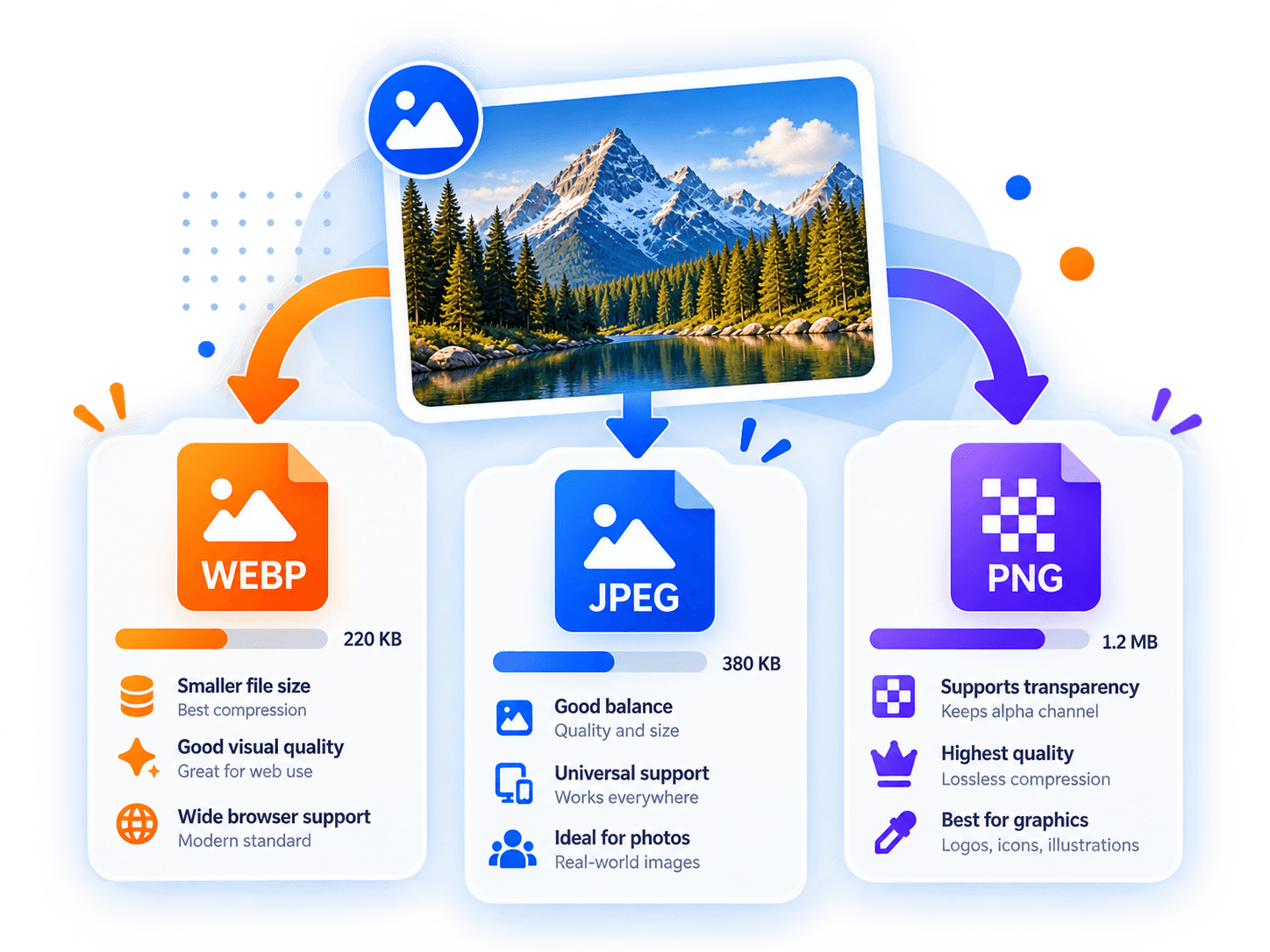
When to Use PNG (Portable Network Graphics)
PNG remains the gold standard for icons, logos, screenshots with sharp text, and graphics requiring lossless alpha transparency.
Because PNG never degrades sharpness or blurs hard edges, it is unmatched for line drawings and vector-like graphics. However, you should avoid using PNG for full-resolution photographic imagery, where file sizes can balloon to 5MB–10MB.
When to Use JPEG (Joint Photographic Experts Group)
JPEG has been the dominant photographic standard on the web for three decades. It is supported by literally 100% of web browsers, email clients, and legacy software.
However, JPEG does not support transparency. If you save a logo with a transparent background as JPEG, the transparent areas will automatically turn into a solid background color (typically white).
When to Use WebP
WebP represents the best of both worlds: it delivers lossy compression that beats JPEG, while also supporting full alpha transparency like PNG.
Today, WebP is supported across Chrome, Safari, Firefox, Edge, and mobile operating systems (over 97% global browser support). It is our recommended default format for 90% of web image requirements.
Key Takeaway
Use WebP as your universal default for photos and web graphics. Fall back to PNG when exact bit-level lossless precision is mandated, and use JPEG when backwards compatibility with legacy software or email templates is required.
Complementary Tools
View all toolsImage Compressor
Compress JPEG, PNG, and WebP images locally in your browser with real-time quality preview and zero server uploads.
Image Converter
Convert images between WebP, JPEG, and PNG formats directly on your device with transparency flattening controls.
JSON Formatter & Validator
Format, validate, and minify JSON with accurate line-and-column syntax error reporting. Everything stays in memory.